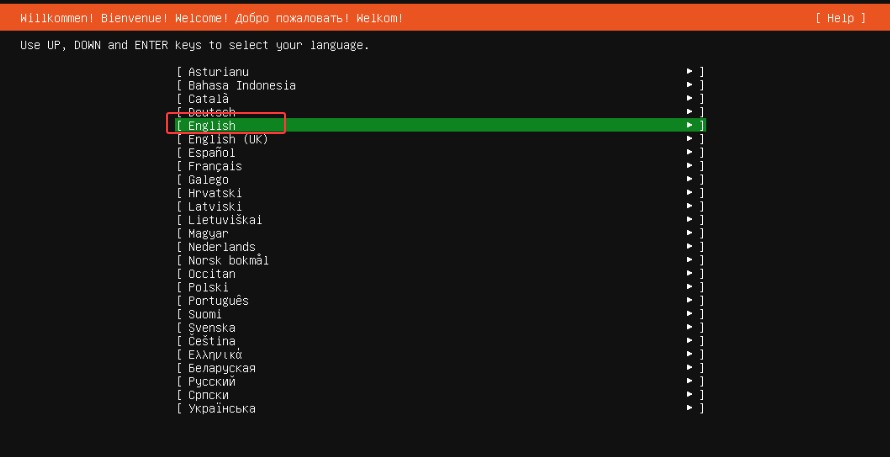
language语言:默认【English】回车确认
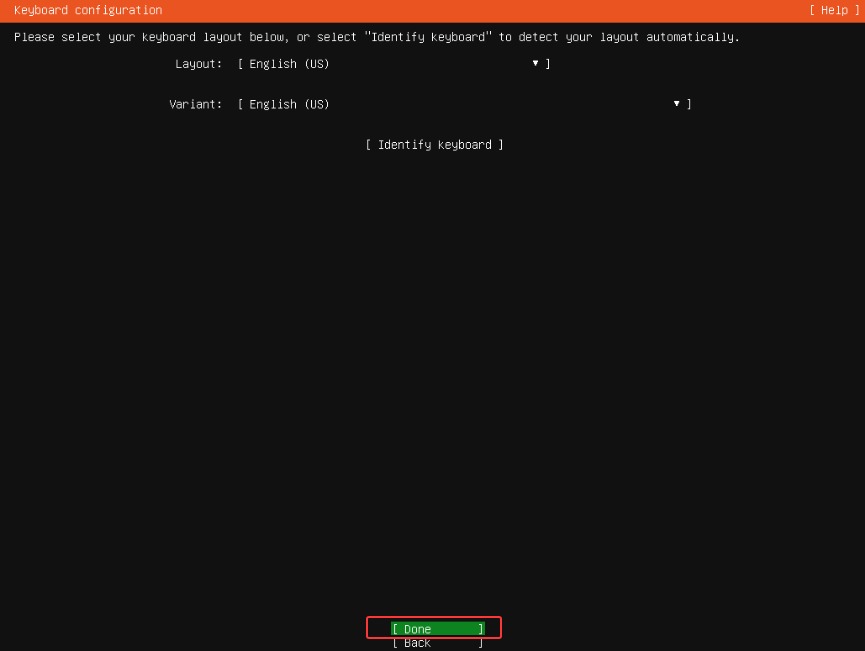
keyboard键盘:默认→ 【Done】
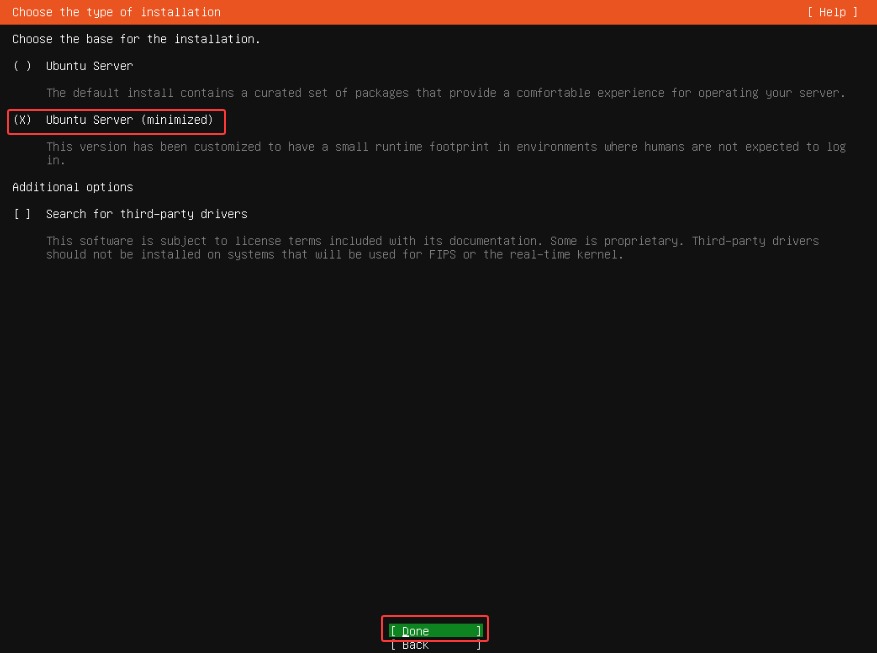
choose the type of installation:tab选择【ubuntu server(minimized)】→【Done】
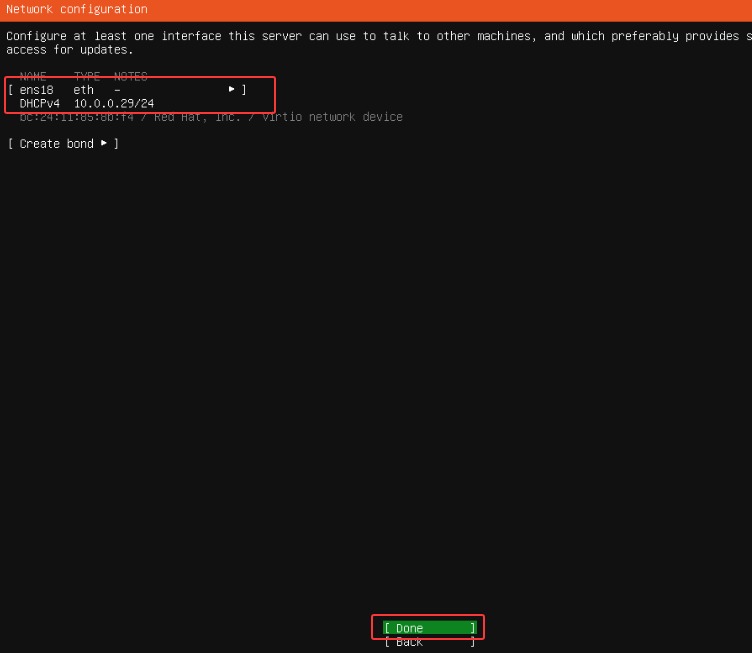
network configuration:默认自动获取IP地址显示后→【Done】
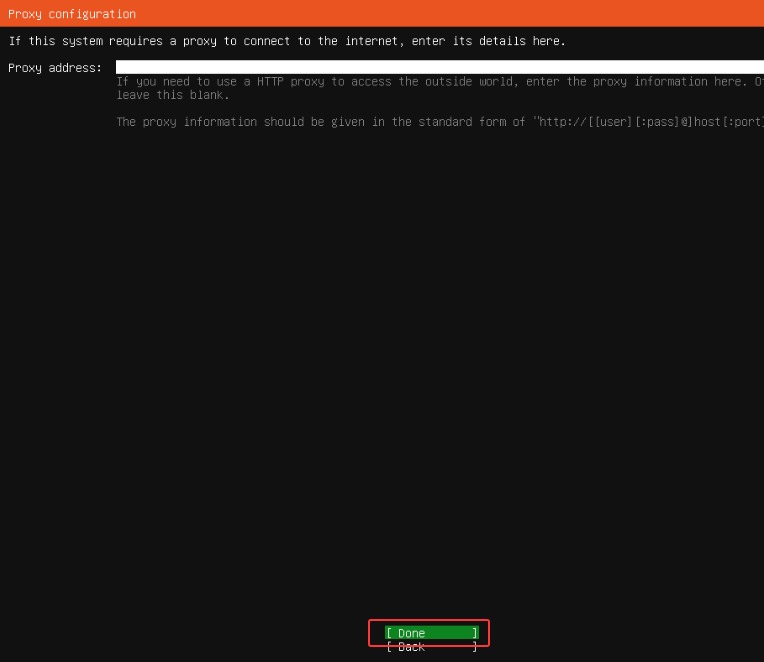
proxy configuration:默认空白→【Done】
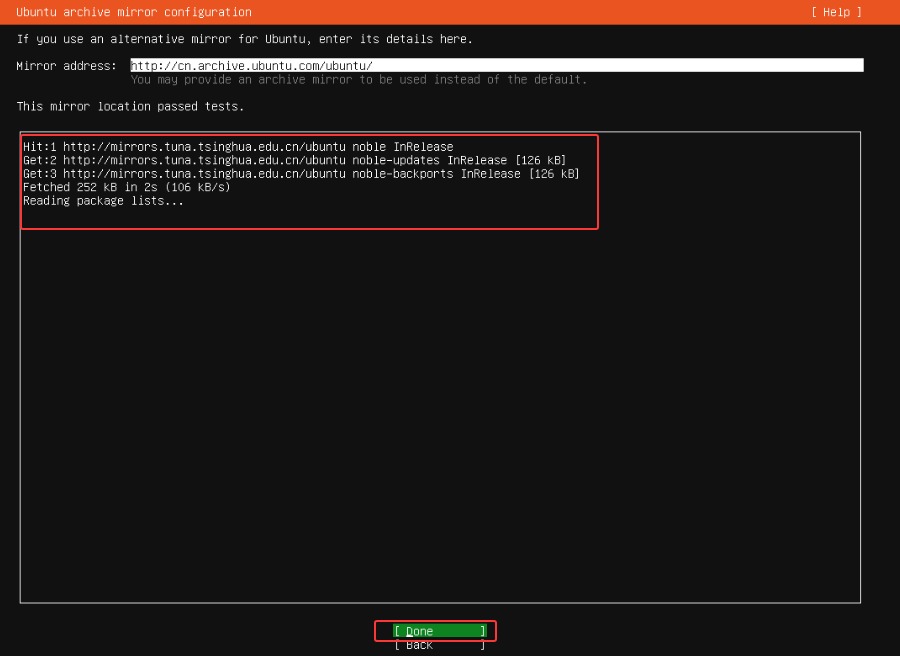
ubuntu archive mirror configuration:测试获取如方框内显示【reading package lists…】就可以进行下一步→【Done】
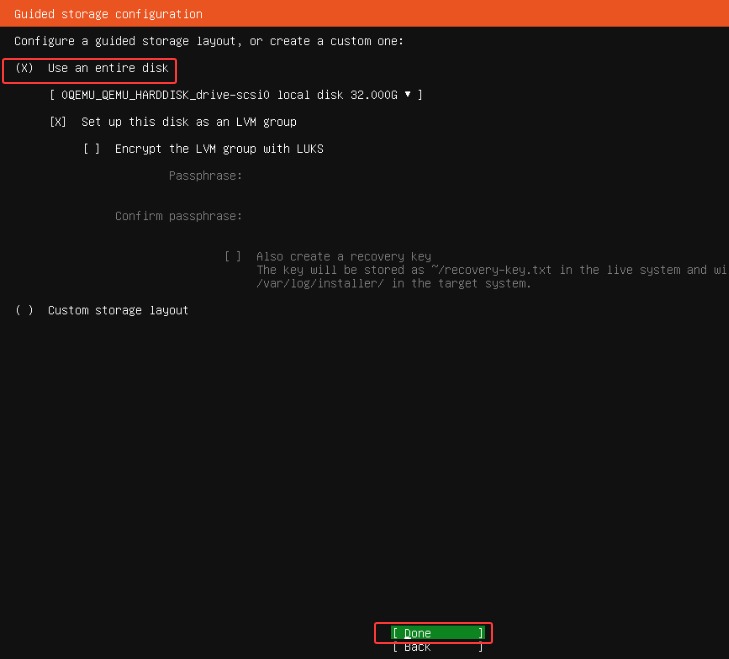
guided storage configuration:默认选择→【Done】
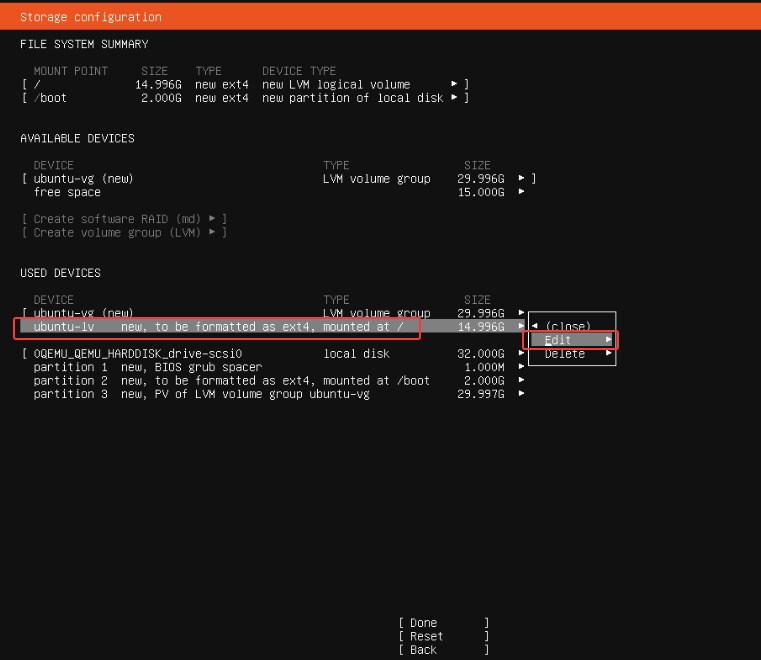
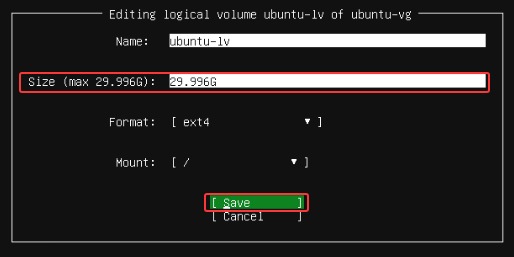
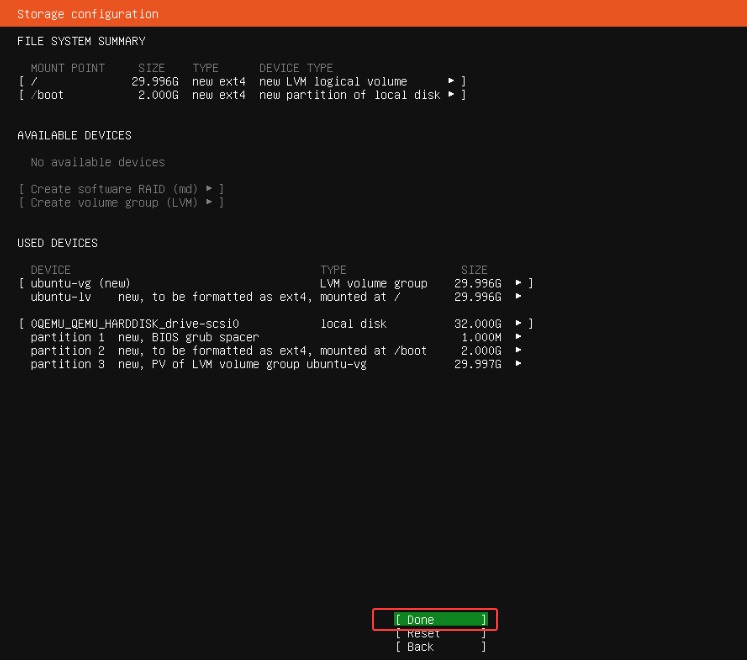
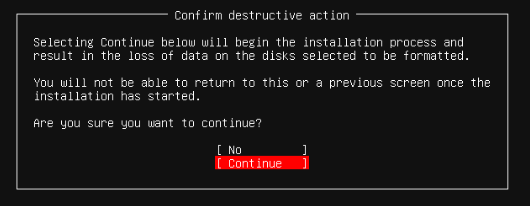
storage configuration:tab选择ubuntu-lv new,to be formatted as ext4,mounted at / 14.996G这一项,【edit】→size(max 29.996)选项把14.996G改为最大【29.996G】→【save】→返回后【Done】→弹出窗口【continue】回车确认
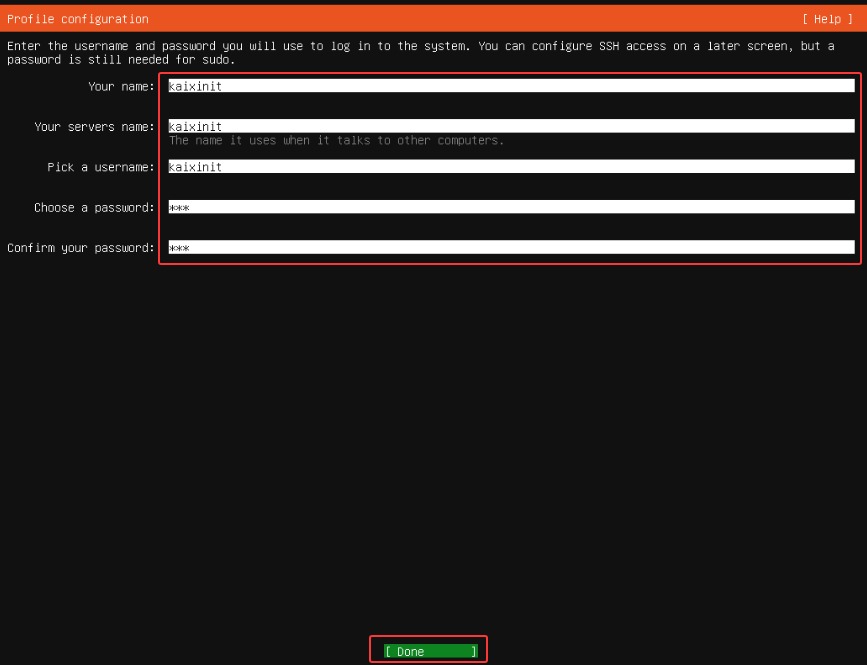
profile configuration:你的名字/服务器名字/用户名/密码/确认密码,依次输入→【Done】
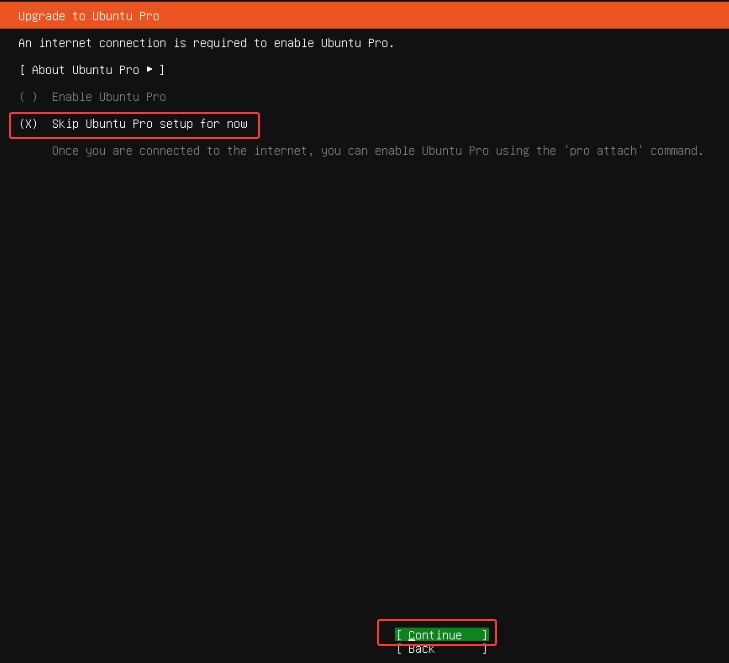
upgrade to ubuntu pro:默认选择跳过升级→【continue】回车确认
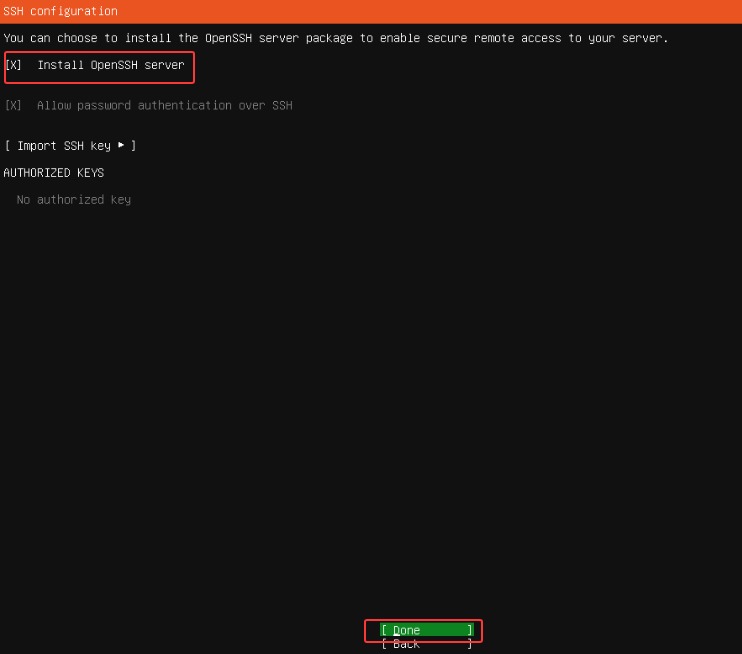
ssh configuration:回车确认【X】install openssh server→【Done】
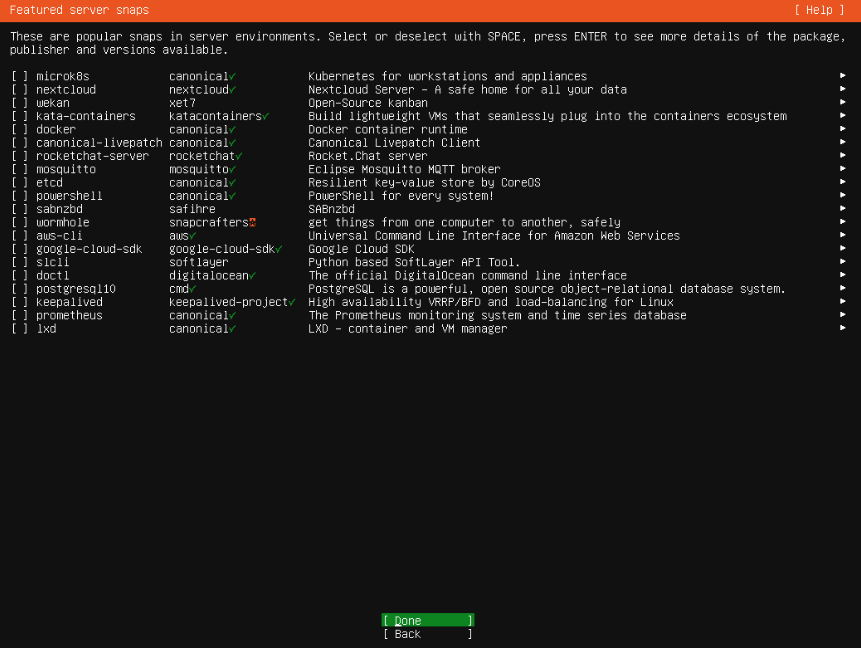
featured server snaps:默认都不选择→【Done】
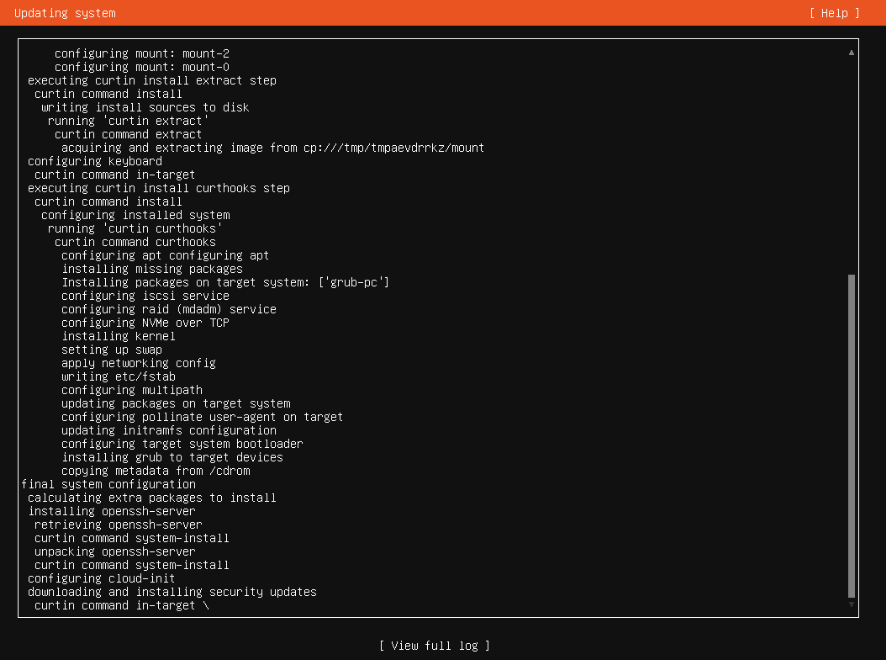
updating system:开始升级系统
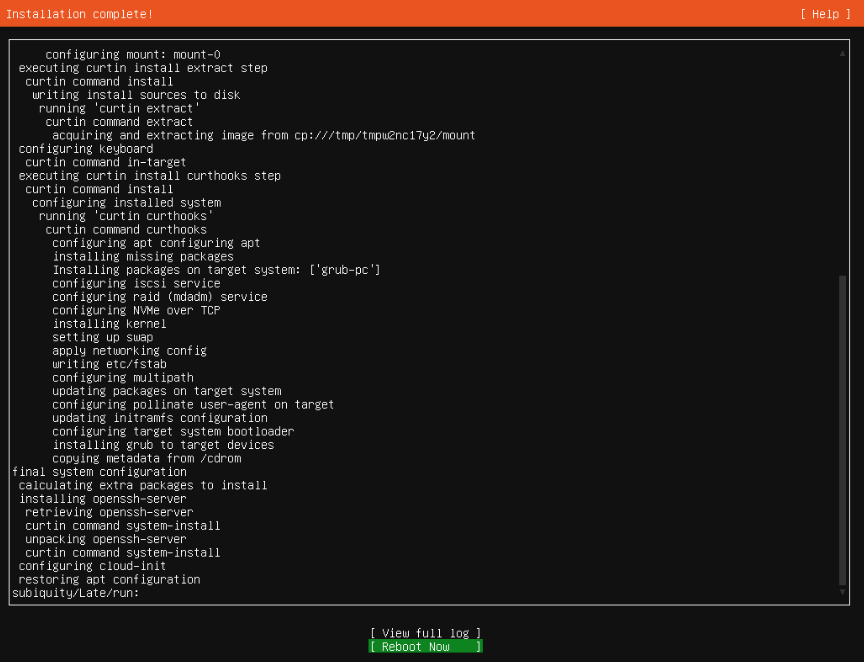
installation complete:完毕后【reboot now】重启完成系统安装
原创文章,作者:开心电脑网,如若转载,请注明出处。